CDK Unify Default App Configuration
September 17, 2026
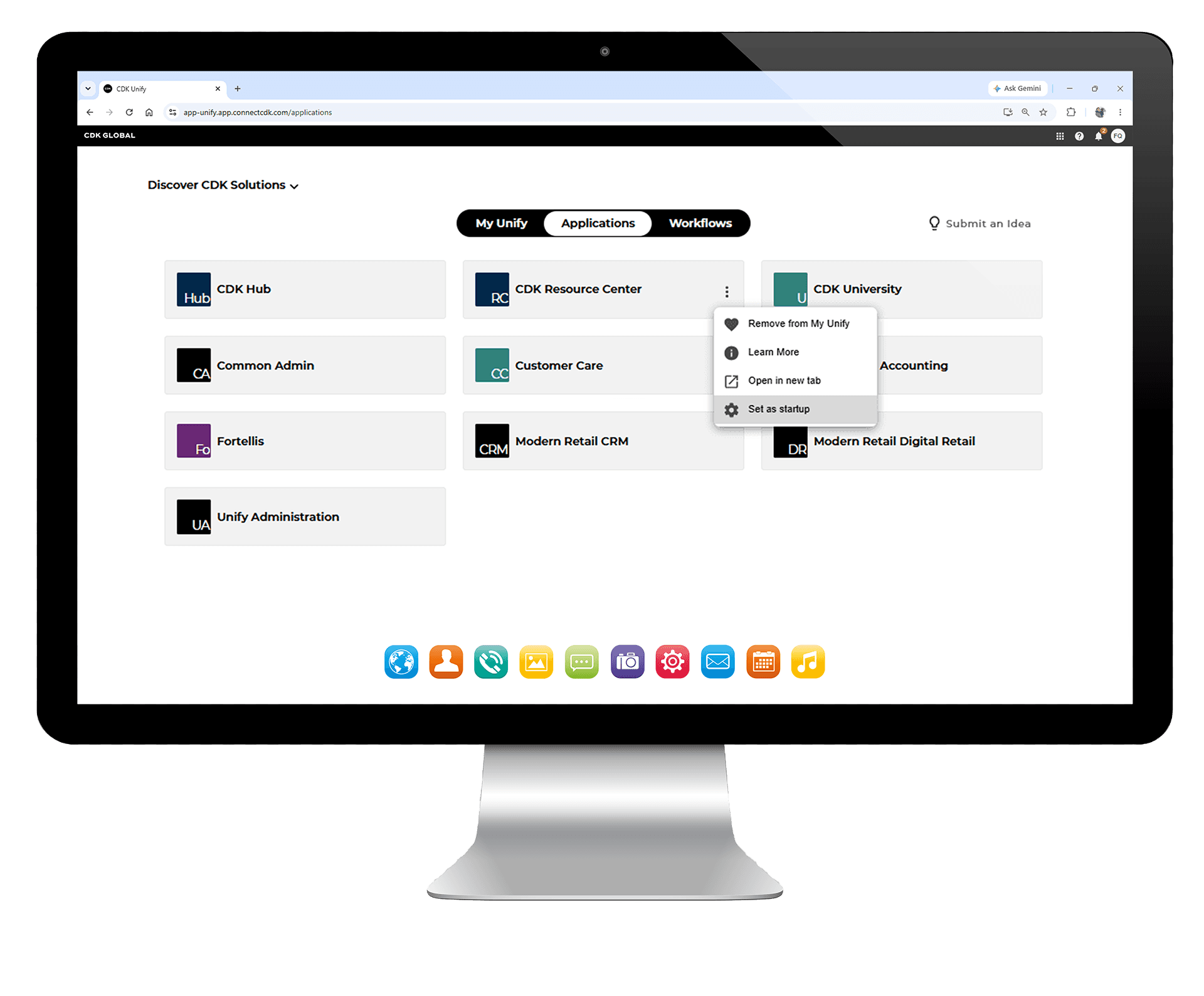
Users can now designate a primary app to automatically launch upon login for a faster and more streamlined workflow experience.
What's New
- Single Default App Selection: Users can mark one app as their default to ensure it launches automatically at login.
- Clear Default Management: Only one app can be set as default at any time with clear system messaging for changes.
- Optimized Login Experience: Upon sign-in, the selected app launches automatically for immediate productivity.
Recent Product Updates

New AI Features for CDK Voice Connect
CDK Voice Connect now includes AI-powered Call Summaries and Keyword Search, giving dealerships faster access to insights from recorded customer...
Sep 17•Product Update

Cloud Connect
Cloud Connect empowers dealerships with secure, scalable connectivity designed for today's cloud-first environment....
Sep 17•Product Update

Unit Stocking
Unit Stocking is a centralized vehicle and unit management solution designed to streamline stocking workflows and improve data accuracy across...
Sep 17•Product Update

A New Way To File 1099s Using the IRS
The IRS will retire the FIRE e-file system starting with tax year 2026, including all prior filings/corrections. Dealers are now...
Sep 17•Product Update

Check Payment Detail Reporting
CDK has introduced enhanced check payment detail reporting within CDK Drive DMS. Dealers can now select a dedicated "Check" tender...
Sep 17•Product Update

Run Customized Reports for SimplePay Transactions
The Transaction Report provides various filtering options available, including Date, Store, Customer, Line of Service, Payment Method and Status....
Sep 17•Product Update
Have
Questions?
We have answers. Get in touch today and we'll get them to you.
Contact Us